


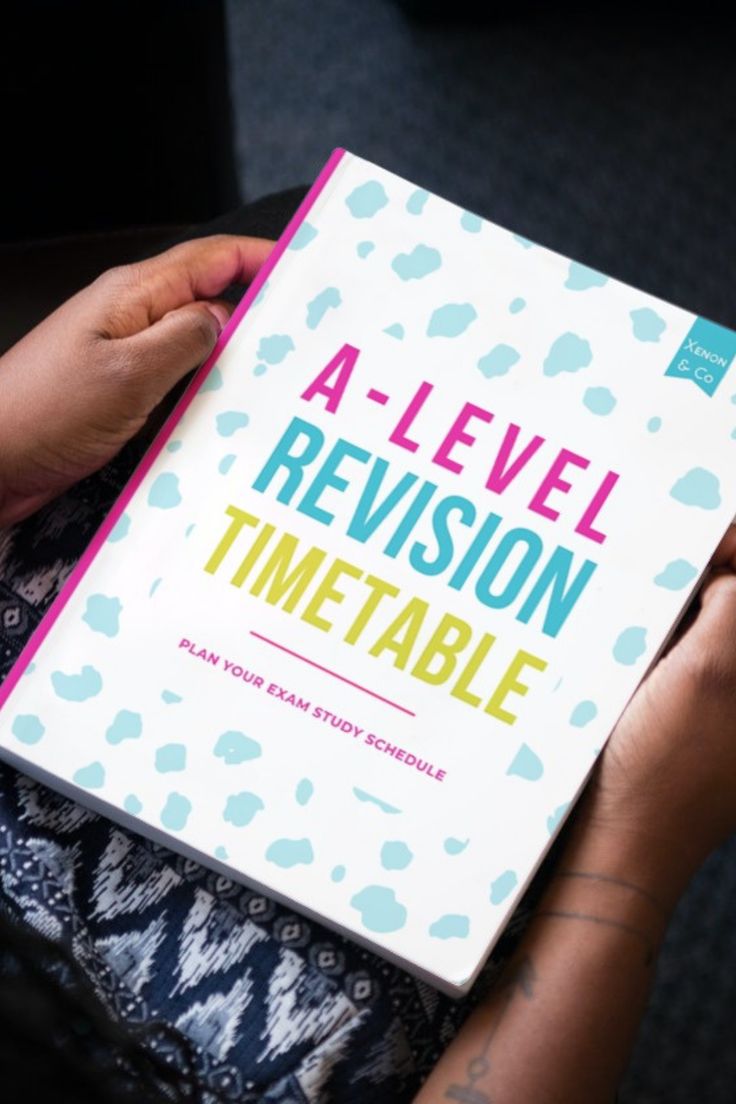
Introduction to Revision Timetables
Creating an effective Revision Timetable in Excel is an essential strategy for students aiming to enhance their academic performance.
A well-structured revision timetable can dramatically improve learning outcomes by organising study periods and ensuring comprehensive coverage of the syllabus.
At Lady Evelyn Independent School, we advocate for the use of revision timetables to help students manage their study sessions efficiently.
In today’s fast-paced educational environment, students must balance numerous subjects and commitments.
With a revision timetable, students can allocate specific hours to each subject, thereby optimising their schedule and supporting goal-setting habits.
This practice is particularly crucial for developing successful exam techniques, enabling students to recall information quickly and accurately under pressure.
An Excel-based revision timetable offers the flexibility to customise schedules, track progress, and adapt to dynamic academic demands.
Such a timetable allows students to interleave subjects effectively, boosting their ability to understand new concepts and reinforcing previous knowledge.
By consistently employing this method, students can maintain focus, minimise delays, and achieve higher grades.
The importance of a revision timetable is underpinned by educational research that highlights the benefits of structured study sessions.
When students utilise a revision timetable that employs spacing and interleaving techniques, they are more likely to retain information over long periods.
These methods not only aid in memorising content but also encourage active recall, a powerful tool for exam preparation.
In conclusion, a revision timetable crafted in Excel serves as a vital resource in the academic toolkit of any student.
It is a powerful method to plan, track, and maximise study hours, ultimately leading to improved academic achievement.
At Lady Evelyn Independent School, we empower our students to develop and pursue personalised study plans, ensuring they are well-prepared to excel in their exams.
Benefits of Using Excel for Revision Timetables
Revision timetable Excel spreadsheets offer multiple advantages for students at Lady Evelyn Independent School, aiming to optimise their study sessions effectively.
One of the primary benefits of using Excel for your revision timetable is its flexibility.
Excel allows students to customise their timetables according to individual study methods and goals, which can significantly aid in achieving higher grades.
Using Excel, students can easily track their progress against their revision schedule.
The built-in functions and formulas in Excel enable students to calculate their study hours automatically, helping them to maintain focus and efficiently manage their study periods.
Excel also facilitates better visual organisation.
By using features such as colour-coding, it becomes easier to differentiate between subjects and allocate time accordingly.
This visual aid can be particularly beneficial in quickly understanding what subjects need more attention, allowing students to revise effectively.
Another significant benefit of a revision timetable in Excel is that it can be shared via digital platforms easily.
Students can collaborate by sharing their timetables with classmates or teachers for feedback or assistance, which contributes to a more structured study environment.
The adaptability of Excel makes it a practical tool not just for student revision but also for long-term academic planning.
Tailored revision timetables in Excel can serve as critical guides for upcoming exams, ensuring that students can revise all elements of their syllabus comprehensively.
Excel’s ability to store large amounts of data ensures that students can maintain all their study resources in one place, saving time and effort during hectic exam periods.
This capability to interleave data can enhance recall efficiency, improving exam scores effectively.
Through the implementation of a revision timetable Excel sheets, students can effectively manage their time and resources, ultimately helping them to score better and achieve their academic goals.

Step-by-Step Guide to Creating a Revision Timetable in Excel
Creating a robust revision timetable in Excel can significantly enhance a student’s ability to organise their study sessions effectively.
Excel provides a flexible platform to customise and track your revision schedule with precision, which is crucial for improving exam performance.
At Lady Evelyn Independent School, we recommend using Excel to leverage its organisational capabilities, benefiting both primary and secondary students in managing their study time efficiently.
1. Define Your Goals and Study Periods
The first step in creating a revision timetable in Excel is identifying your academic goals and the time available before exams.
Establish a clear understanding of the subjects you need to focus on based on the upcoming exam schedule.
Determine the total number of days available for revision and allocate specific time slots dedicated to each subject.
2. Set Up Your Excel Spreadsheet
Begin by creating a new spreadsheet in Excel.
Label columns with dates and time slots to represent each day and available study periods.
Rows should be designated for each subject or topic you plan to cover during your revision sessions.
Colour coding and formatting text can aid in quickly visualising and identifying your study plan.
3. Allocate Time Slots and Prioritise Subjects
Utilise the data columns to fill in specific time slots for different subjects in your revision timetable Excel sheet.
Consider using techniques such as interleaving and testing, which involve mixing different subjects and incorporating quizzes within your revision plan.
Prioritise subjects that are complex or require more revision, ensuring you allocate more sessions to your weakest areas.
4. Incorporate Effective Study Methods
Implement effective study methods into your timetable to boost retention and understanding.
The spacing method can help in distributing study sessions over time, which improves long-term recall.
Make sure to schedule breaks to prevent burnout and maintain consistent study habits.
5. Track Progress and Adjust Accordingly
As you proceed with your revision timetable, it’s essential to continuously track your progress within Excel.
This can include marking completed sessions, recording your confidence level for each subject, and adjusting the timetable based on your evolving study needs.
Regularly reviewing and updating your timetable ensures that it remains aligned with your academic goals.
By following these steps to create a revision timetable in Excel, students at Lady Evelyn Independent School can develop a structured approach to their studies.
The flexibility offered by Excel allows for a personalised timetable that can adapt to each student’s needs, promoting efficient study habits and maximising exam performance.
Incorporating Effective Study Techniques
Incorporating effective study techniques into your revision timetable can significantly enhance your exam preparation.
Utilising methods such as spacing, interleaving, and testing can transform your revision sessions into productive and engaging experiences.
These techniques not only help organise your study period but also ensure that you’re making the most of your study hours.
Spacing involves distributing your revision over a period rather than cramming all your study into a single block of time.
By applying the spacing method in your revision timetable in Excel, you help your brain retain information more effectively, leading to improved recall during exams.
No less important is interleaving, which refers to mixing different subjects or topics within your revision sessions.
This technique challenges your brain to constantly adapt, forcing it to retrieve information and apply it in varying contexts.
When you create a revision timetable in Excel, make sure to plan sessions that interleave topics, thereby enhancing your understanding and retention.
Testing oneself is another critical element of an effective study schedule.
It involves regularly testing your knowledge through quizzes, past papers, or self-generated questions.
This not only highlights your weakest areas but also strengthens your memory by compelling your brain to actively recall information.
Incorporating regular testing intervals into your revision timetable in Excel can provide a clear picture of your progress and help pinpoint where further focus is needed.
Additionally, setting specific goals for each study session is crucial.
Goals act as a roadmap, helping you remain focused and ensuring that your study sessions are structured and efficient.
Your revision timetable Excel should have clearly defined goals for each session, such as mastering a particular chapter or practising a type of exam question.
In summary, effective study techniques such as spacing, interleaving, and testing are essential components to include in your revision timetable Excel.
These methods not only optimise learning but also support sustained academic success.
By thoughtfully integrating these techniques, Lady Evelyn Independent School students can ensure they are well-prepared to achieve their desired grades.
Tips for Sticking to Your Revision Timetable
Establishing a revision timetable is a pivotal step towards achieving academic success, but the challenge often lies in maintaining adherence to it.
Using a revision timetable in Excel can significantly enhance your ability to stick to your planned schedule by offering structured organisation and visual clarity.
Here are some practical strategies to ensure you remain committed to your revision timetable:
First, set realistic and achievable goals within your revision timetable in Excel.
By breaking down your study material into manageable sections and allocating a specific period for each topic, you create a realistic roadmap.
The inclusion of spaced repetition within your timetable can help reinforce your learning, making your study sessions more effective.
Next, integrate a diverse range of study techniques to keep the revision process engaging.
Interleaving different subjects in your revision timetable can prevent monotony and enhance recall by boosting cognitive connections.
Similarly, incorporate testing as a regular practice within your schedule.
This approach not only assesses what you’ve learnt but also aids in identifying any areas of weakness.
Accountability can also be a valuable tool in sticking to your timetable.
Consider sharing your revision schedule with a peer or mentor who can help you stay on track by regularly discussing your progress.
Moreover, make use of digital tools and apps that send reminders and track your adherence to the schedule.
Such tools can integrate seamlessly with your revision timetable in Excel, providing timely notifications for each session.
Additionally, ensure that you allow for flexibility in your timetable.
Life’s unpredictability means that sometimes adjustments may be necessary, and having some buffer time can accommodate unforeseen events.
This ensures that you remain motivated rather than discouraged by any disruptions.
Finally, regularly review and adjust your revision timetable to ensure it continues to meet your learning needs.
A monthly review can identify what’s working or needs improvement, allowing you to adapt your approach for better outcomes.
By following these tips, your revision timetable Excel can become not just a static table of dates and subjects, but a dynamic tool that guides your academic progress.
Sticking to your revision plan requires discipline and adaptability, traits that can significantly enhance your ability to achieve desired exam results.
Lady Evelyn Independent School encourages students to personalise their revision strategies, ensuring every student finds a path that suits their unique learning style.
Common Mistakes to Avoid
Effectively using a revision timetable in Excel can significantly enhance your study efficiency, and understanding common mistakes is crucial to avoid setbacks.
One frequent mistake is overloading your schedule with too many subjects in a short period.
It is essential to use the revision timetable Excel to appropriately space out sessions across different subjects, preventing burnout and ensuring a comprehensive understanding.
Another common error is failing to allocate proper time for breaks in the revision timetable.
Constant studying without breaks can reduce information retention and diminish overall productivity.
Incorporating regular breaks can help maintain focus and improve recall.
A lack of flexibility is also a mistake when using a revision timetable in Excel.
Students often create a rigid plan without leaving room for adjustments.
Unexpected events or the need for extra revision on challenging topics might arise, and a flexible timetable allows for such adjustments without stress.
Lastly, ignoring feedback loops, such as not reviewing past performance or not adapting the timetable based on outcomes, can hinder progress.
Utilise the revision timetable Excel to track progress and make necessary modifications to enhance learning outcomes.
By being aware of these common mistakes, students at Lady Evelyn Independent School can optimise their revision strategy and achieve better academic results.
Tools and Apps to Enhance Your Revision Schedule
Incorporating the right tools and apps alongside your revision timetable can significantly enhance your exam preparation.
These resources provide a variety of functionalities, from tracking study sessions to optimising revision techniques, thereby creating a more efficient study plan.
Maximising the use of digital resources in conjunction with your revision timetable can streamline your study process and improve outcomes.
Utilising Digital Calendar Integration
Synchronising your revision timetable in Excel with digital calendars such as Google Calendar or Outlook can help you manage your study schedule effectively.
These calendars can send reminders and notifications for upcoming study sessions or deadlines, ensuring you remain on track and organised.
Additionally, they allow for easy adjustments to the schedule in response to changing priorities.
Productivity and Time Management Applications
Applications like Todoist or Trello can be employed to manage tasks and track progress in alignment with your revision timetable in Excel.
These tools help prioritise tasks, maintain focus on study goals, and provide a visual representation of progress.
By keeping a record of completed tasks and sessions, you can better understand how your study habits are evolving.
Apps for Enhancing Study Techniques
To complement your revision timetable, employing apps such as Quizlet or Anki can introduce innovative study methods.
These platforms use spaced repetition and interactive learning tools to improve memory retention, a method proven beneficial for exam revision.
Integrating these study techniques with a well-structured revision timetable ensures that optimal preparation strategies are in place.
Incorporating digital tools and apps into your revision routine enriches your study methodology and keeps you engaged and efficient.
With the right combination of resources and a robust revision timetable, Excel can make exam preparation not only manageable but also rewarding.
Conclusion: Maximising Your Exam Preparation
In conclusion, leveraging a revision timetable in Excel is essential for effective exam preparation and achieving academic success.
The use of a revision timetable enables students to systematically organise their study sessions, maximising the use of limited time.
By arranging your syllabus into manageable segments, a revision timetable ensures that you cover all necessary material thoroughly.
This method not only aids understanding but also enhances recall, as it allows for regular review sessions.
Moreover, with a well-structured revision timetable in Excel, you can incorporate various effective study techniques like spacing, interleaving, and testing.
These methods reinforce learning and increase the retention of information, acting as a catalyst for higher exam scores.
At Lady Evelyn Independent School, we understand that every student has unique learning needs.
Thus, we emphasise the importance of creating a personalised revision timetable Excel that aligns with individual goals and study preferences.
Ultimately, the disciplined application of a revision timetable, coupled with effective study strategies, will significantly bolster your exam preparation, paving the way for academic excellence.